


WhatsApp Automation for Businesses: Where Do You Start?
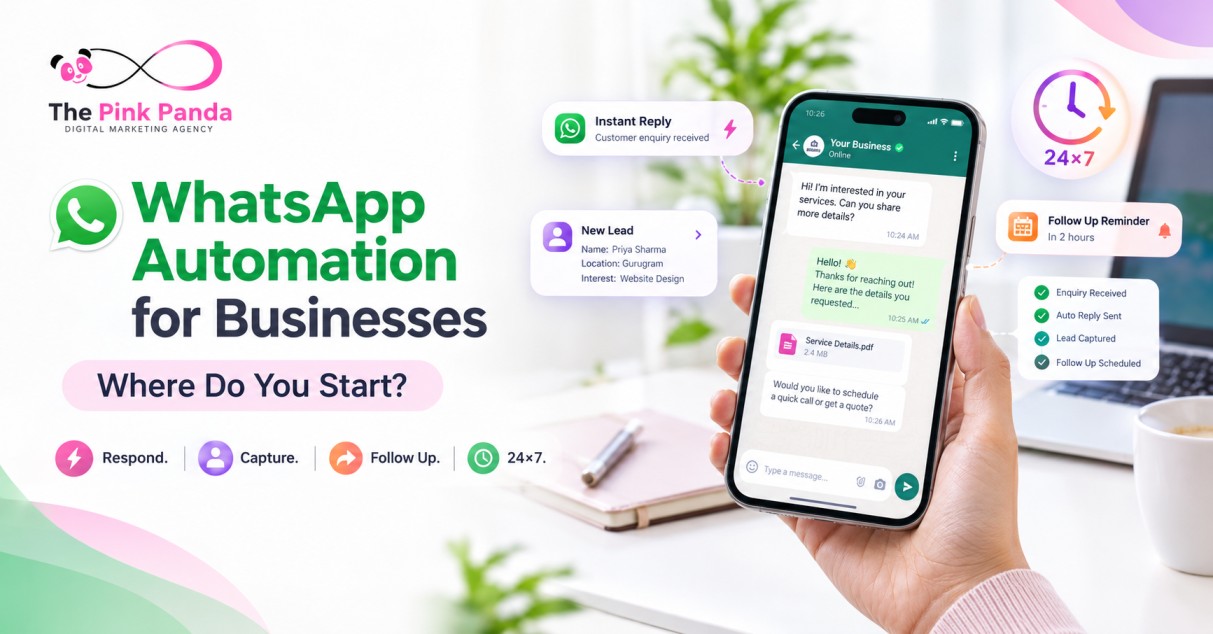
What if your business could respond to customers 24×7, follow up instantly, and make sure no genuine lead gets missed?
That’s where WhatsApp Automation comes in.
WhatsApp has become a natural communication channel for businesses and customers. But replying manually to every enquiry, sending follow-ups, answering repetitive questions, and managing conversations can quickly become difficult as enquiries increase.
With the right automation strategy, WhatsApp can become more than a messaging channel—it can become a round-the-clock business assistant.
But where do you actually start?
What Is WhatsApp Automation?
WhatsApp Automation uses tools, workflows, and the WhatsApp Business Platform/API to automate conversations and customer journeys.
Instead of relying entirely on someone being available to reply, businesses can automate actions such as:
- Instant responses
- FAQs and common queries
- Lead capture
- Follow-ups
- Appointment or enquiry confirmations
- Product or service information
- Customer notifications
- Lead routing to the right team
The goal isn’t to replace human conversations.
It’s to make sure the right conversation starts at the right time.
1. Your Business Works 24×7
Your customers don’t necessarily enquire only during business hours.
Someone may click your ad at 11 PM, send a WhatsApp message early in the morning, or enquire while your team is busy with another customer.
Automation doesn’t take breaks.
It can instantly acknowledge an enquiry, provide relevant information, ask qualifying questions, and guide the person toward the next step.
Your business doesn’t have to be online 24×7. Your automated WhatsApp journey can be.
2. Don’t Miss Potential Leads
One of the biggest challenges businesses face is delayed follow-up.
A customer submits an enquiry. The team gets busy. The response comes hours later—or sometimes not at all.
Automation can help reduce these gaps.
For example:
Ad → WhatsApp → Instant Response → Information → Qualification → Team Follow-Up
The moment someone starts a conversation, the automated workflow can capture important information and keep the conversation moving.
That means fewer enquiries sitting unanswered and a more organised follow-up process.
3. Think of It as Your Round-the-Clock Sales Assistant
Your team shouldn’t have to spend their entire day answering the same questions.
WhatsApp automation can handle repetitive first-level conversations while your team focuses on conversations that require a human touch.
For example, automation can ask:
The responses can then help your team understand the enquiry before stepping into the conversation.
Think of it as a digital assistant working around the clock—starting conversations, collecting information, and keeping the journey moving.
4. Combine WhatsApp With Meta Ads and Google Ads
This is where WhatsApp automation becomes particularly powerful.
You can connect your advertising campaigns directly with WhatsApp.
Meta Ads + WhatsApp
A customer sees your Facebook or Instagram ad, clicks the WhatsApp option, and starts a conversation.
From there, automation can instantly respond and guide the enquiry.
Meta Ad → WhatsApp → Automated Conversation → Team
Google Ads + WhatsApp
Someone searches for a service on Google, clicks your ad, and chooses to connect through WhatsApp.
Instead of sending them through multiple steps, you can move them directly into a conversation.
Google Search → WhatsApp → Instant Response → Follow-Up
Direct WhatsApp API
You don’t always need an ad to start the journey.
Businesses can also use the WhatsApp Business Platform/API for direct communication, notifications, customer journeys, and automated conversations.
The real advantage comes from connecting these channels into one structured journey.

Where Should You Start?
Don’t begin by automating everything.
Start with one customer journey.
Ask:
- Where are most of our enquiries coming from?
- What questions do customers ask repeatedly?
- How quickly are we responding?
- Where are enquiries getting lost?
- What information does the team need before following up?
Then build a simple workflow around that journey.
For example:
Traffic → WhatsApp → Instant Reply → Qualification → Follow-Up → Conversion
Once the first workflow works smoothly, you can expand automation across other customer journeys.
Common WhatsApp Automation Mistakes
Avoid these mistakes:
- ❌ Automating every conversation without a human option
- ❌ Sending too many messages
- ❌ Using generic replies that don’t help customers
- ❌ Building complicated workflows from day one
- ❌ Failing to capture useful lead information
- ❌ Running ads without a follow-up system
- ❌ Treating WhatsApp as just another chat inbox
Good automation should feel fast, useful, and natural—not robotic.
Final Thoughts
WhatsApp automation isn’t simply about sending automatic messages.
It’s about creating a system that can respond instantly, capture enquiries, reduce missed opportunities, handle repetitive conversations, and connect your marketing with follow-up.
Whether customers come through Meta Ads, Google Ads, your website, or directly through WhatsApp, automation can help create a smoother customer journey.
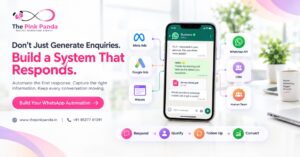
Don’t just generate enquiries. Build a system that responds to them.
At The Pink Panda Digital Marketing Agency, we help businesses connect advertising, WhatsApp automation, and digital customer journeys into a more structured growth system.
🌐 www.thepinkpanda.in
📞 +91 85277 41291
Frequently Asked Questions
1. What is WhatsApp Automation for businesses?
WhatsApp Automation uses the WhatsApp Business Platform/API and automated workflows to handle repetitive conversations, enquiries, notifications, follow-ups, and customer interactions.
2. Can WhatsApp Automation work 24×7?
Yes. Automated workflows can respond to customers at any time, including outside normal business hours.
3. Can WhatsApp Automation help businesses avoid missed leads?
It can help reduce missed enquiries by providing instant responses, capturing information, and triggering structured follow-up workflows.
4. Can WhatsApp be connected with Meta Ads?
Yes. Businesses can create advertising journeys where users click from Facebook or Instagram into a WhatsApp conversation.
5. Can Google Ads work with WhatsApp?
Yes. Businesses can use Google Ads to drive relevant users toward WhatsApp, creating a direct conversation journey after the ad click.
6. Do I need WhatsApp API for automation?
For advanced business automation, integrations, and scalable workflows, the WhatsApp Business Platform/API is generally the appropriate solution. The exact setup depends on your use case and business requirements.
7. Does WhatsApp Automation replace human teams?
No. The most effective approach usually combines automation for repetitive or initial interactions with human support when a conversation needs personal attention.
8. Where should a business start with WhatsApp Automation?
Start with one high-volume customer journey—such as enquiries from Meta Ads, Google Ads, or your website. Automate the first response, information collection, and follow-up before expanding to more workflows.